Unanswered questions
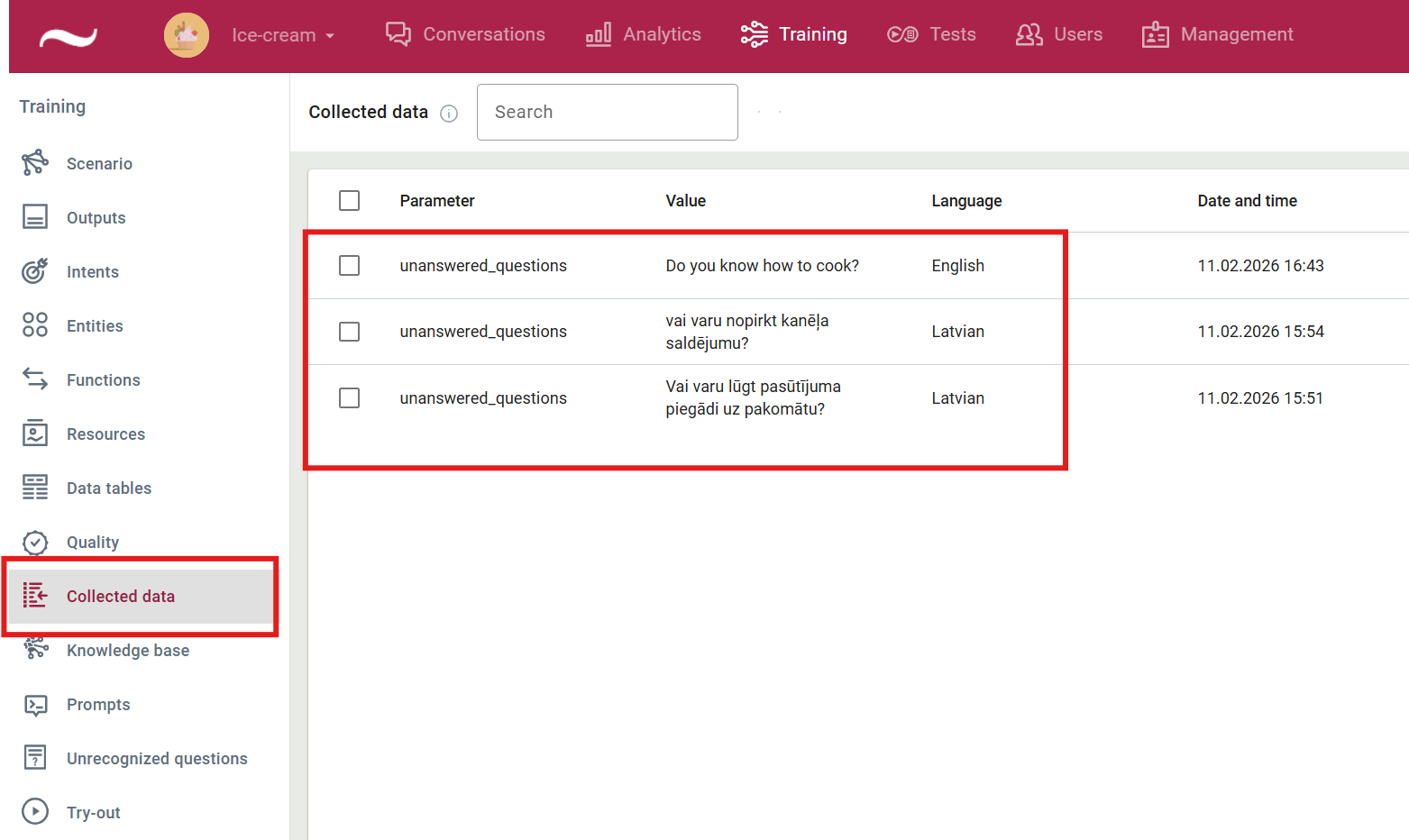
To analyze in more detail the responses provided by the large language model in virtual assistants that use automatic text generation, and to review in one place all questions that the model was unable to answer during user conversations, the Collected data view allows you to browse unanswered questions.
To enable this functionality, you must use the automatic text generation parameter noanswer and the savedata function.
How to integrate the function into a scenario
-
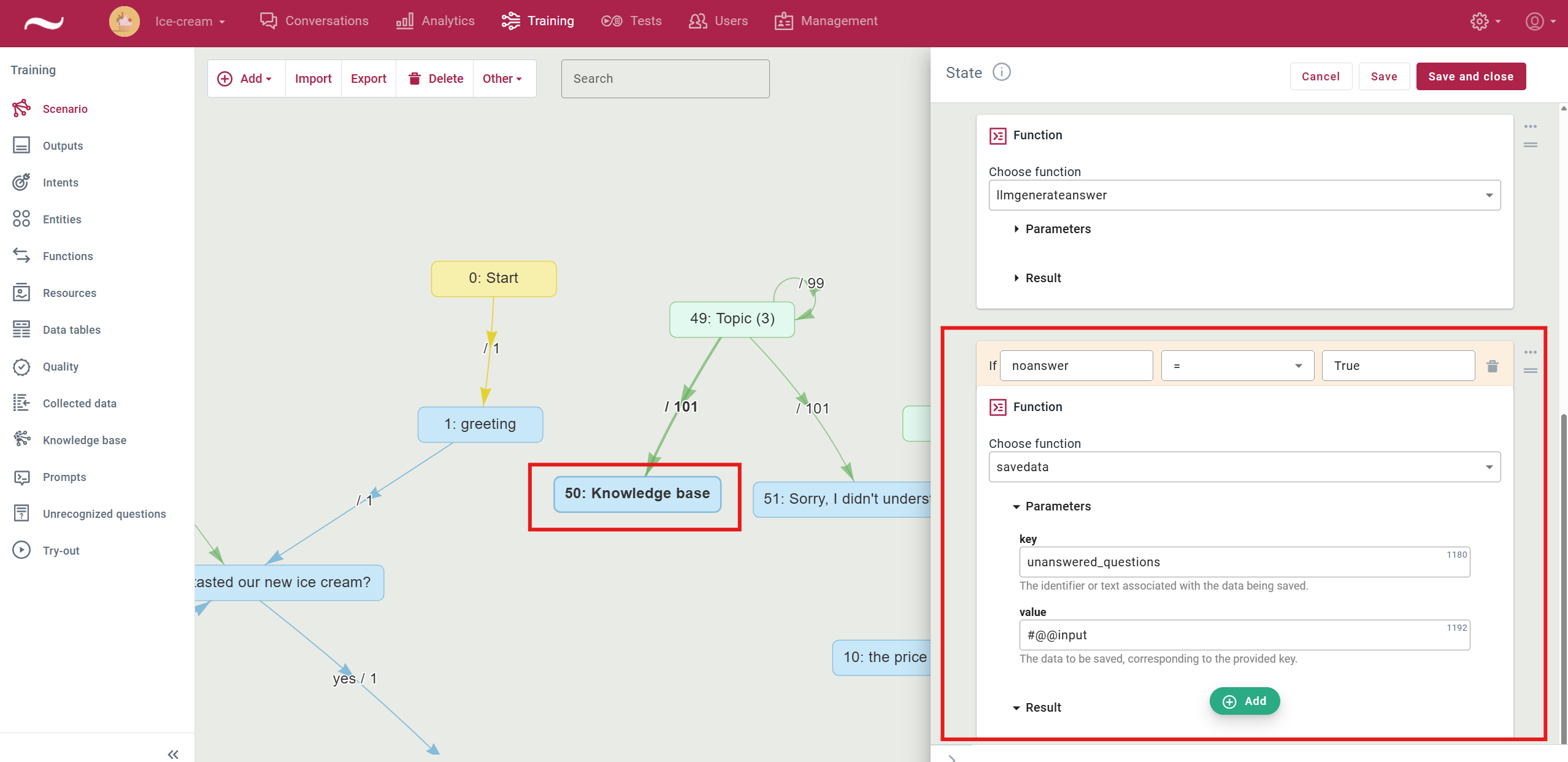
In the scenario, locate the automatic text generation function.
It is usually included in the self-loop transition Virtual assistant replies section or in the state. -
Click Add and select Function.
-
Select the savedata function.
-
Fill in the function parameters:
-
key– specify the keyword under which unanswered questions will be saved(for example: unanswered_questions).
-
value– specify #@@input.The user’s full question will be loaded and saved.
-
-
Click the three dots next to the function and add the following prerequisite: noanswer = true
This ensures that the user’s question is displayed in the collected data view only if no response was generated by the large language model.
-
Save the changes and publish the scenario.
-
Perform a test: open the try-out and ask a question for which no answer exists in the knowledge base.
-
Open the Collected data view and verify that information about all unanswered questions is displayed correctly.
Read more