Speech-to-text
Real-time event transcription
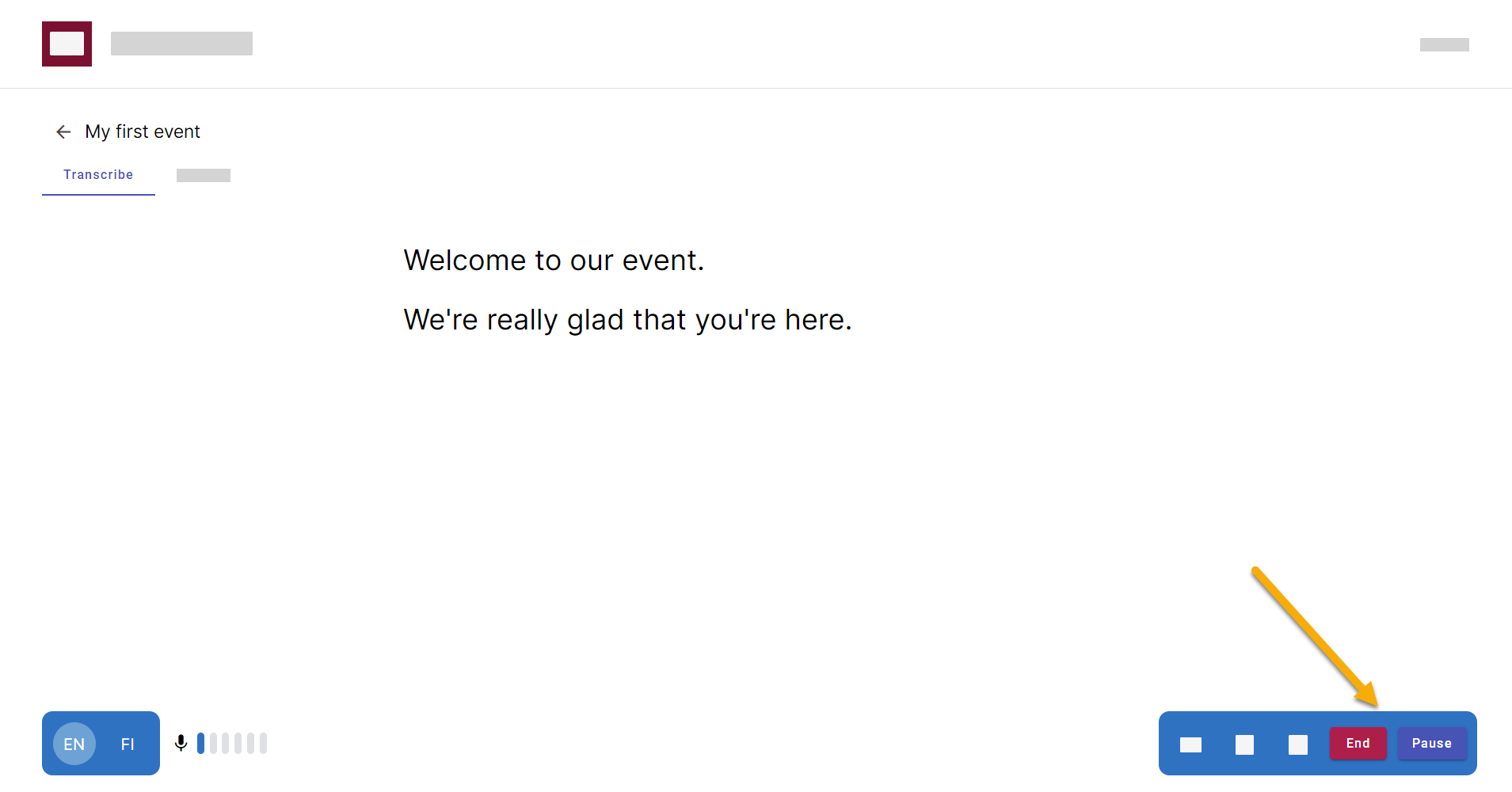
Figure 1. Pause or end the event from live transcription view. 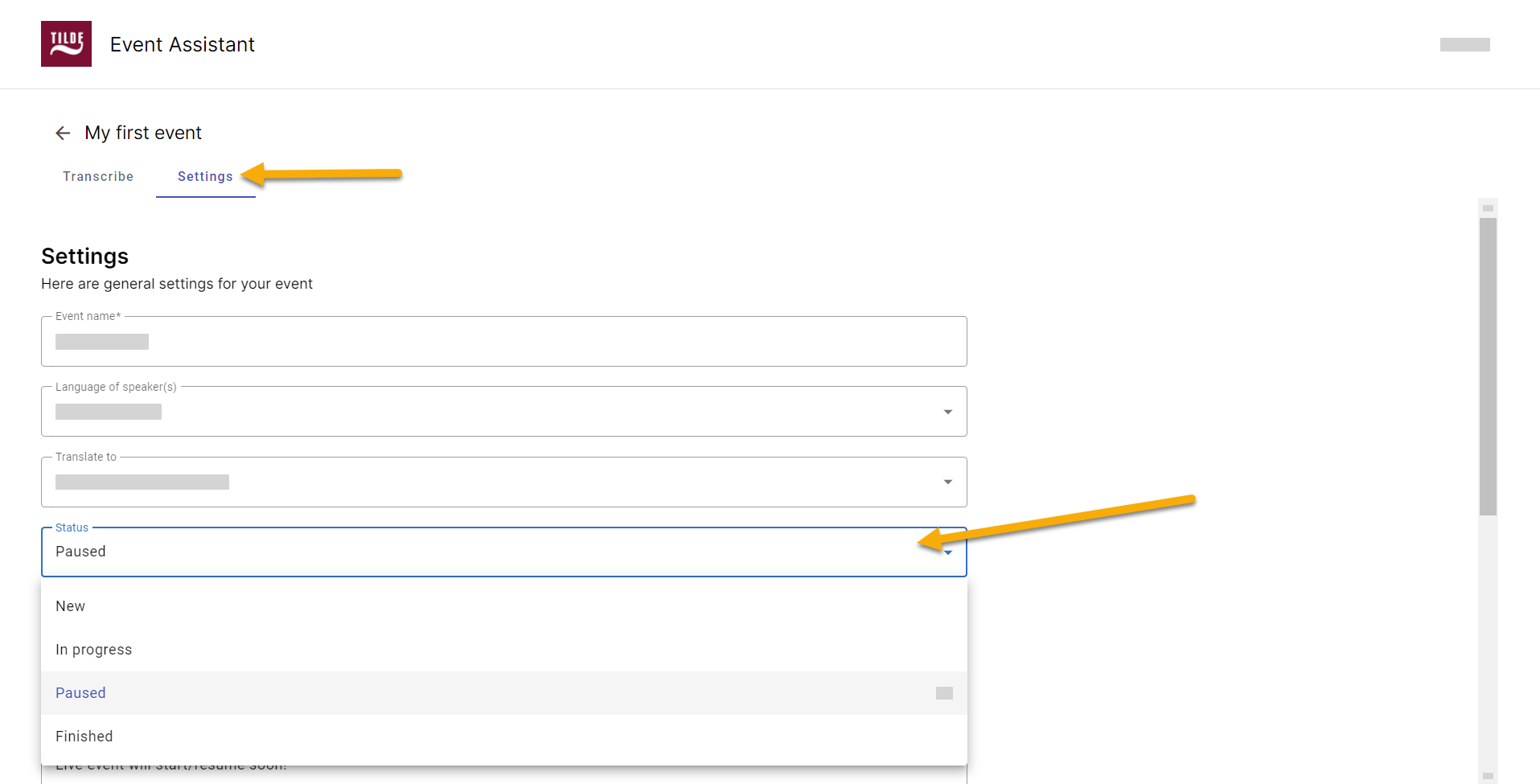
Figure 2. Pause or end the event by changing its status in Settings.
Pause or end event
You can pause or end event from event's Transcribe or Settings tab.
From Transcribe view
Click Pause or End at the bottom of the screen.
From Settings
Select Paused or Finished from the status menu and click Save at the bottom of the page.